Start with the correct path
Both editions create nicknames. Their identity sources differ.
The server edition is selected during installation. Luminox automatically publishes the matching member workflow, so administrators do not maintain two panels or ask members to choose a technical mode.
Members do not configure nicknames with slash commands. Staff publish one permanent panel; its buttons become Set game name and My profile in Universal, or Register character, My characters and Change main character in Community.
Administrator setup
One command publishes the correct panel.
/registration set channel:#profilesThe shared setup command for Universal member profiles and Community character registration.
Saves the text channel and creates or updates one permanent, edition-aware panel.
Luminox reads the server edition and publishes only the controls supported by that edition. Reusing the command replaces or refreshes the existing panel instead of creating a second workflow.
/registration refreshA safe manual refresh for the already configured panel.
Rebuilds the panel copy and buttons from the current edition without changing stored member profiles.
Use it after changing edition or when the Discord message needs to be republished. It does not run a Tibia character scan.
Community and Founder servers must also configure their Tibia guild and world before members can complete verified character registration. Universal servers do not need /guild set for member nicknames.
Exact output by edition
Switch the example to see what members receive.
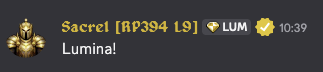
Sacrel [RP394 L9]
Community: verified Tibia main name + vocation code + current level + account Loyalty Level.
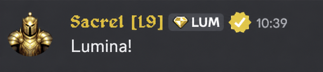
Sacrel [L9]
Universal: member-provided game name + account Loyalty Level.
There is no space between the Community vocation code and character level, or between L and Loyalty Level. Both formats remain within Discord's nickname limit.
Universal Edition
A lightweight profile for any game or community.
- 01Click Set game name
The member opens the permanent Member Profile panel and enters the name they use in their game.
- 02Luminox validates it locally
The name must contain 2–24 visible characters, cannot contain square brackets and must be unique inside that Discord server.
- 03The profile is stored per server
The same Discord account can use a different game identity in another server without the profiles colliding.
- 04The nickname becomes Game Name [L#]
No external game API, vocation, character level, alternate-character list or main-character selection is used.
Universal Edition does not claim that the game name is externally verified. It gives general gaming communities a consistent profile and Loyalty identity without tying Luminox to one game.
Community and Founder Edition
Verified Tibia identity adds live character context.
The first verified character becomes main. Members can register alternates and change their main through the panel. Luminox then builds the nickname from the current tracked main.
| Code | Vocation | Code | Vocation |
|---|---|---|---|
| D | Druid | ED | Elder Druid |
| K | Knight | EK | Elite Knight |
| P | Paladin | RP | Royal Paladin |
| S | Sorcerer | MS | Master Sorcerer |
| M | Monk | EM | Exalted Monk |
The character name, vocation and level come from the main character's stored Tibia snapshot. Loyalty Level belongs to the verified Discord account, so alternates do not split progression.
If the main leaves the configured guild while another registered character remains eligible, Luminox can promote the highest-level eligible character. Confirmed Tibia name changes preserve the same registration and flow into the next nickname refresh.
Synchronization
Only relevant changes rebuild each format.
L# suffix automatically./update refreshes the caller's current verified main, managed role and nickname without scanning every account.| Public plan | Eligible character-sync policy | Manual member option |
|---|---|---|
| Free | Up to every 15 minutes | /update for the caller's current identity |
| Core | Up to every 10 minutes | |
| Growth | Up to every 5 minutes | |
| Scale | Up to every 2 minutes |
The plan table applies only to Community's Tibia character synchronization. Universal profile changes are local Discord operations and do not create external refresh traffic.
Discord boundaries
Luminox never claims an edit that Discord rejected.
Troubleshooting
Check identity before forcing a full synchronization.
| Symptom | Check | Safest action |
|---|---|---|
| Universal name rejected | Length, square brackets and whether another member already uses the same name in this server. | Enter a unique 2–24 character game name from the panel. |
| Old Community level or vocation | The main shown by My characters and whether Tibia already exposes the new value. | Run /update once, then allow the normal refresh policy. |
| Wrong Community character | The selected main and whether a rename has been confirmed by synchronization. | Change the main or refresh the account; do not recreate a valid registration. |
| Wrong Loyalty Level | The private Loyalty profile and current point threshold. | Confirm the account balance; a valid reward or reversal should trigger a nickname refresh. |
| Nickname does not change | Manage Nicknames, role hierarchy and server-owner status. | Move the Luminox role above the managed member or apply the suggested nickname manually. |
| No managed identity remains | Universal: whether a game name exists. Community: whether at least one character remains registered. | Use the edition-specific profile button in the configured panel. |