Discord-first contact

Join Lumina or get help with Luminox.

Choose guild membership, help selecting a Luminox plan or technical support for an existing server. Every route continues in Discord, and you do not need technical knowledge to contact us.

Start in the right place

What would you like to talk about?

Choose one path and tell us the outcome you need. Every conversation starts in Discord, and we move it into a private ticket whenever the details should not remain public.

01For guild leaders

I am evaluating Luminox

Find the right edition and setup.

Tell us your guild size, the work your staff repeats and the first systems you want to improve. We will explain what fits, what does not and where Free is enough.

  • Edition and plan guidance
  • Feature and limit questions
  • Safe installation planning
Discuss your guild setup
02For current users

I need product support

Solve a setup or configuration problem.

Tell us what you clicked, what you expected and what Discord showed instead. Screenshots and private evidence can remain inside the Support ticket created for you.

  • Panels and permissions
  • Registration and synchronization
  • Errors and unexpected behaviour
Open product support
03For players

I want to join Lumina

Meet the guild before you apply.

Learn how Lumina plays on Secura, what our community expects and how character verification connects a successful application to Discord access.

  • Guild culture and expectations
  • Application questions
  • Registration after acceptance
Explore membership
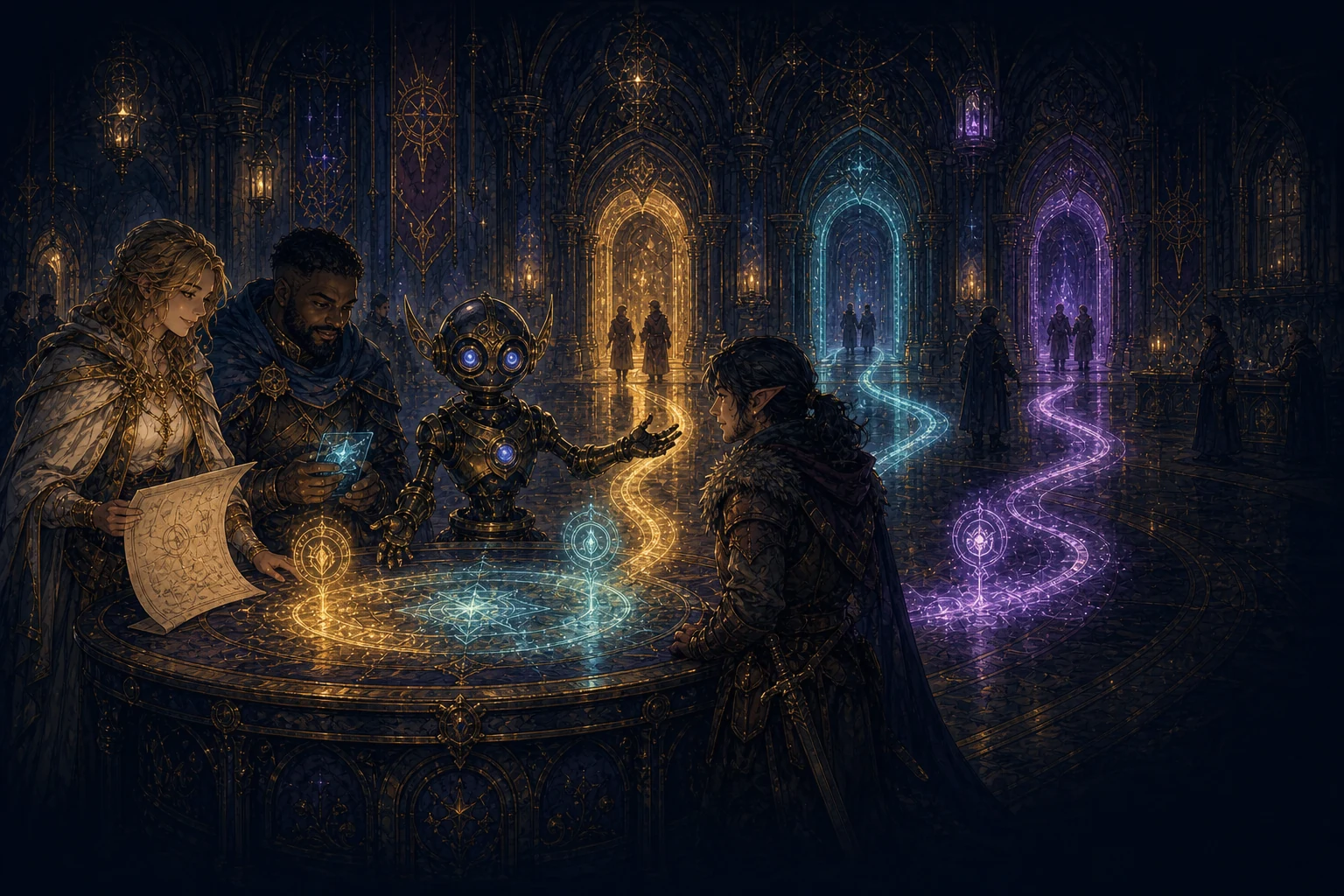
Luminox guiding three visitors toward product guidance, technical support and Lumina guild membership inside a fantasy guild hall

Guidance without guesswork

Start with your goal. We will find the right route.

You do not need to understand Luminox, diagnose a technical problem or know Lumina's application process before writing to us. Tell us what you are trying to achieve and we will continue from there in plain language.

Open the contact channel in Discord →

A simple Discord flow

What happens after you contact us?

There is no external contact form or separate support dashboard. Discord keeps the conversation close to the product and the community while private threads protect details that should not be public.

01

Enter Discord

Join the server or open the Help channel if you are already inside.

02

Choose a reason

Select product guidance, technical support, registration or guild membership.

03

Answer the guide

Short required questions collect the context staff actually need.

04

Continue privately

Luminox creates a protected thread for replies, screenshots and invited participants.

05

Leave with a next step

Receive a concrete answer, configuration path or the correct Lumina application route.

Support lives where you already work

Open the Help panel. Luminox organizes the rest.

The public Help channel stays clean and easy to find. Its buttons explain each route, collect the required information and create a private Discord thread for the requester and responsible staff.

Public entryOne clear Help panel

Members do not need to remember support commands or search for an external form.

Private conversationA protected thread

Questions, media, staff replies and invited participants remain attached to the same case.

Discord historyClosed and archived

Resolved tickets are locked and retained by Discord instead of becoming an extra website account.

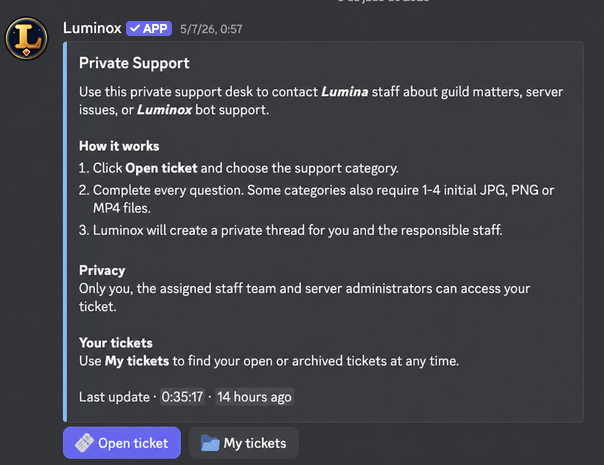
Real Discord panelNo external dashboard
Luminox Private Support panel inside Discord with Open ticket and My tickets buttons
The panel explains the process before anyone opens a ticket.Members click guided controls; Discord holds the conversation and its attachments.

Help us help you

Send the context that changes the answer.

You do not need to diagnose the problem before contacting us. A short, precise message is enough: explain the outcome you need, include what you already tried and leave out private credentials.

Planning Luminox?

Share your guild size, current pain points and the two or three features you would introduce first.

Reporting a problem?

Share the server, channel, panel or button, approximate time, expected result and visible error.

Joining Lumina?

Share your main character, world, what you are looking for and any question about our rules or process.

A Luminox assistant and a guild support guide helping an adventurer inside a private fantasy archive

Private when it should be

Your evidence does not need to become a public conversation.

When a question includes member information, screenshots or configuration details, Luminox moves it into a private Discord thread. The requester, responsible staff, invited participants and server administrators can continue there without exposing the case to the channel.

  • Required questions keep the first message useful.
  • Images and replies remain in their original order.
  • Resolved conversations are locked and archived in Discord.
Read the complete Support workflow →

What you can expect

A useful answer, not another layer of complexity.

Our objective is to help you choose, configure or resolve the next concrete step. We explain limitations honestly and do not push a larger plan when a smaller one solves the real need.

Plain language

No technical vocabulary required.

Describe the goal in your own words. We will translate it into the relevant Luminox system or Lumina process.

Honest fit

Free is recommended when Free is enough.

Product guidance begins with the smallest useful setup, the correct edition and the limits that matter to your server.

Clear ownership

You will know who should act next.

The reply separates what you can change, what staff need to review and what depends on Discord itself.

Safe boundaries

Credentials remain under your control.

Support may ask for visible context, but never for a bot token, Discord password or unrestricted server access.

Prefer to explore first?

Answers are already organized by intent.

Ready when you are

Bring us the question. We will help find the route.

Product guidance, technical support and Lumina membership all begin in Discord—without a separate account or external contact form.